If your subcontractor is covered by the construction industry scheme, you should record a purchase invoice which includes a deduction for tax and NICs. To create this invoice, click menu File > New > Invoice, then change the Document Type to 'Purchase Invoice'.
Enter the usual details for a purchase invoice (allocate to the 'Subcontractor Costs' account). Then enter another invoice line for the CIS deduction:
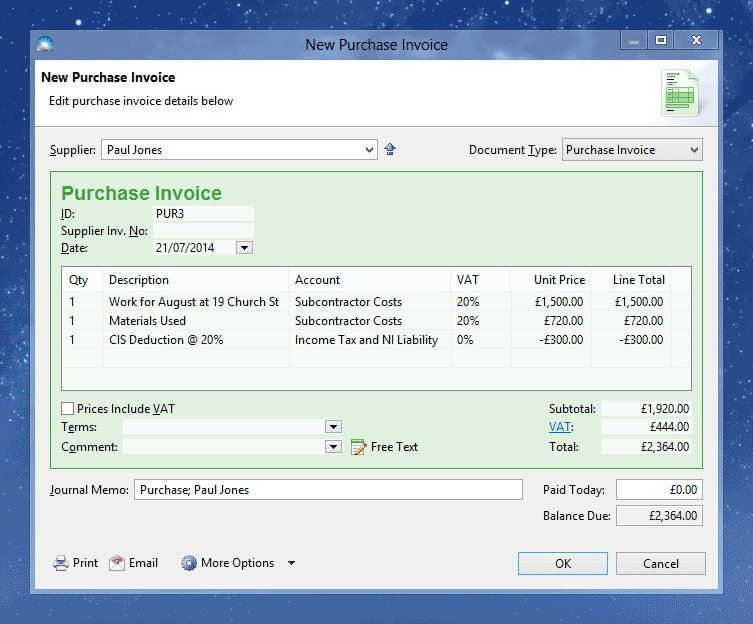
There are several points to note about the CIS deduction line:
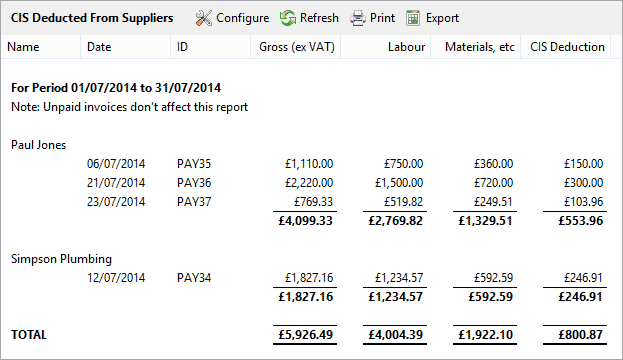
You will need to forward the money you have deducted to HMRC, usually once per month. To find out the total CIS amounts deducted from supplier payments, click menu Window > Reports, then select the 'CIS Deducted From Suppliers' report.
Note that this report is based on payments made to suppliers - if a purchase invoice is unpaid it will not affect this report.