By default, new customer payments are recorded in the 'Money To Be Banked' account. This account is designed to keep track of the value of cash and cheques not yet deposited into a bank.
If you are not usually paid by cash or cheque you can change the default to a more appropriate account. For example, if your customers pay directly into your bank account you can change the default to Cheque Account. To do this, click menu Setup > Transaction Defaults > Default Accounts. Then change the Default Paid Into Account field to 'Cheque Account':
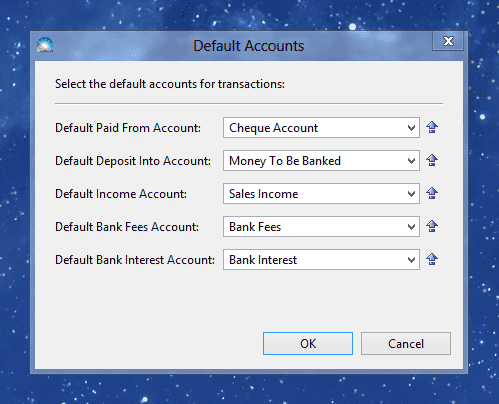
Click OK to save the change. Customer payments will now be recorded against the Cheque Account by default.
