To reconcile a bank statement, click menu Tools > Reconcile Bank Statement, then select the bank account you want to reconcile (usually 'Cheque Account'). The Bank Reconciliation window will be shown:
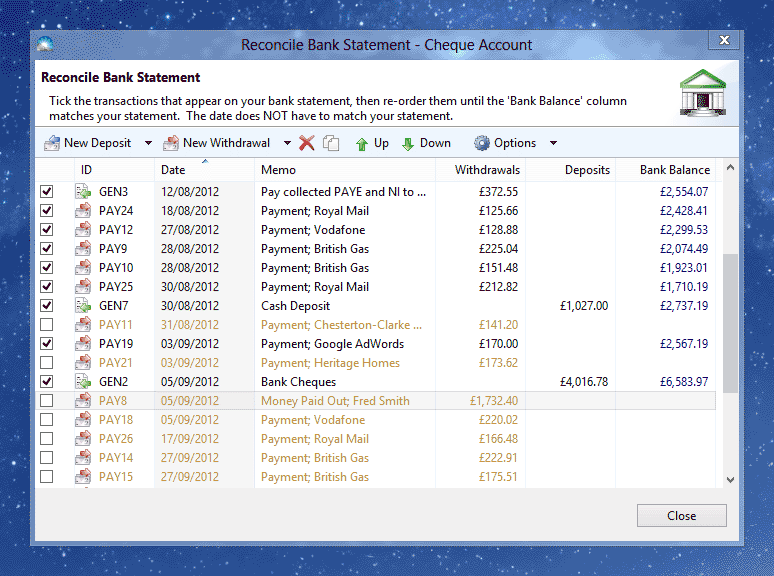
The aim of the Bank Reconciliation window is to have the Bank Balance column match the balance printed on your statement.
For each transaction on your printed bank statement:
Tick the matching transaction in the window. If there is no matching transaction, create a new one by selecting 'New Deposit' or 'New Withdrawal'.
If the position of the transaction in the window list does not match your statement, use the Up and Down buttons to re-order it. You can also re-order transactions by dragging with the mouse.
Confirm that the Bank Balance for that transaction now matches your statement. If it doesn't match, check the previous transactions until you find a discrepancy. If there are no previous transactions, check that the Opening Balance for the account matches the opening balance on your statement.
If you find a transaction in the reconciliation window which doesn't appear on your statement, you should either delete it or edit it and remove the reference to the bank account.
