Note: If you are transferring money to a supplier, record this as an expense instead.
To record a transfer between two business bank accounts, click menu File > New > General Transaction. The General Transaction window will appear:
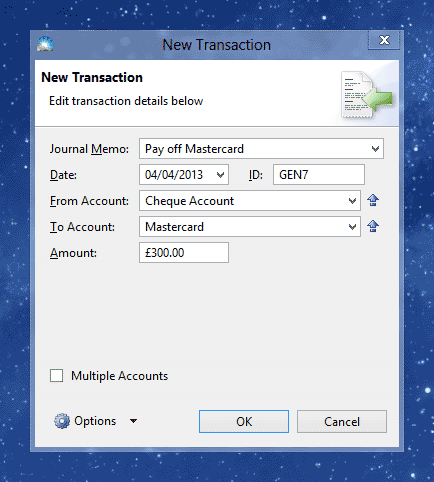
Enter the details of your transaction into the following fields:
Journal Memo: A description of the transaction for your records, e.g. 'Pay off Mastercard'.
Date: The date you made the transfer.
From Account: The bank account the money comes from.
To Account: The bank account the money goes to.
Amount: The amount of the transfer.
Once you've entered the transaction details, click OK to save it.
The new transaction will appear in the Transactions list (menu Window > Transactions).
