Current Status On Our Approval Request
Solar Accounts is still awaiting approval from HMRC to allow users to submit MTD ITSA quarterly updates.
Unfortuantely we failed to gain approval in time for users to submit an MTD ITSA before the 7 August 2026 deadline, however please keep in mind that HMRC have stated, "There are no penalties for missing a quarterly update deadline for the 2026 to 2027 tax year".
Why Is Approval Taking So Long?
Unfortunately this approval process has taken far longer than we initially expected. We initially applied for approval in March 2026, but HMRC have advised us that they "are currently experiencing high volumes of production access requests, which is impacting our normal Service Level Agreement (SLA) times". We have found that this problem has been exacerbated by manual reviews and feedback cycles which typically take 2 to 4 weeks, even for some system requirements that could be verified by a computer in seconds.
We know many users are concerned that they have been unable to submit their ITSA update before the first quarter deadline, despite the lack of financial penalty. We share this concern and are working hard to pass the HMRC approval process as soon as possible.
Thank you for your patience in this matter.
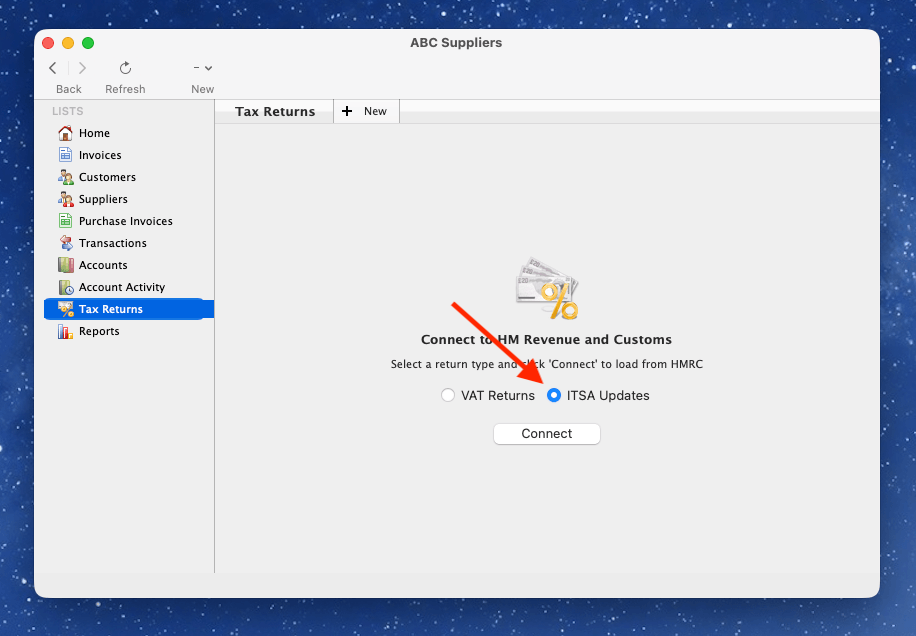
To view and submit HMRC ITSA quarterly updates you must first authorise Solar Accounts to interact with HM Revenue and Customs to act on your behalf. To do this click on Tax Returns from side menu, select ITSA Updates, and then click the 'Connect' button:
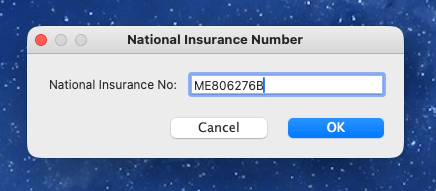
Enter your National Insurance Number and click 'OK':
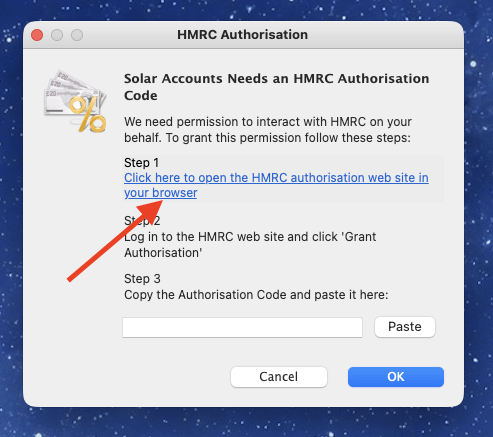
The HMRC Authorisation window will be shown - click the link to open your web browser showing the HMRC login page:
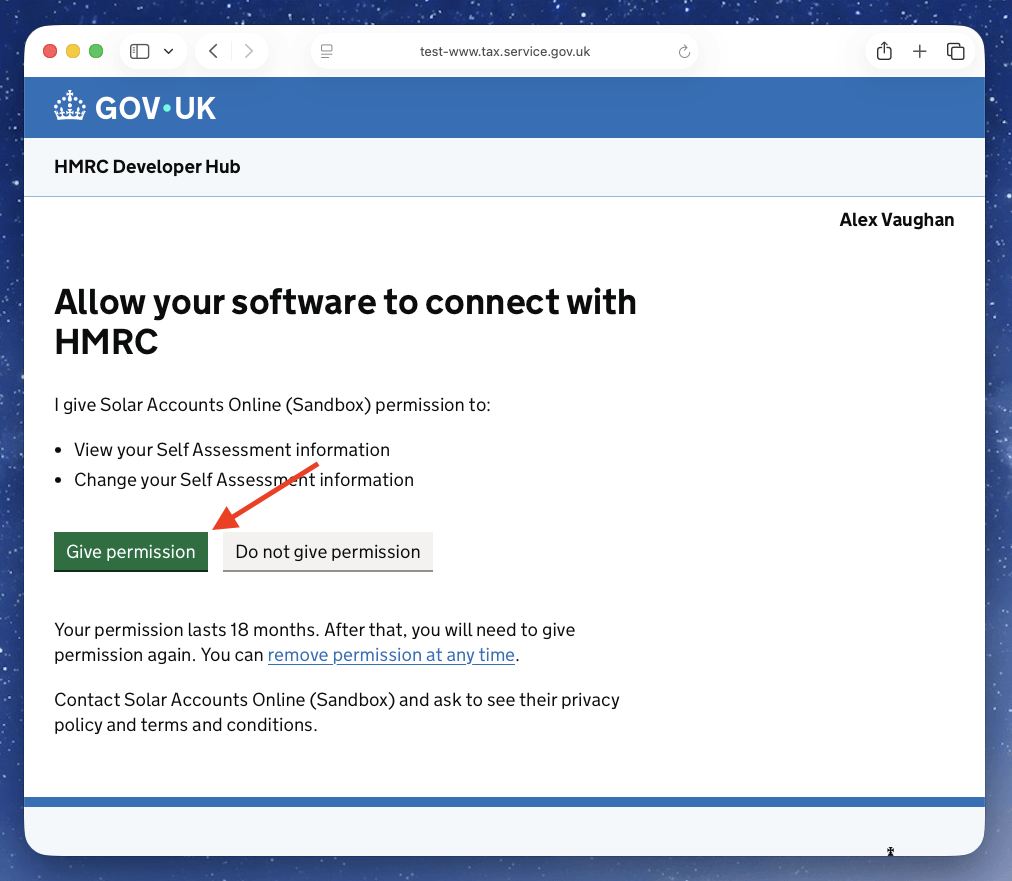
Log into the HMRC website and click the 'Give Permission' link:
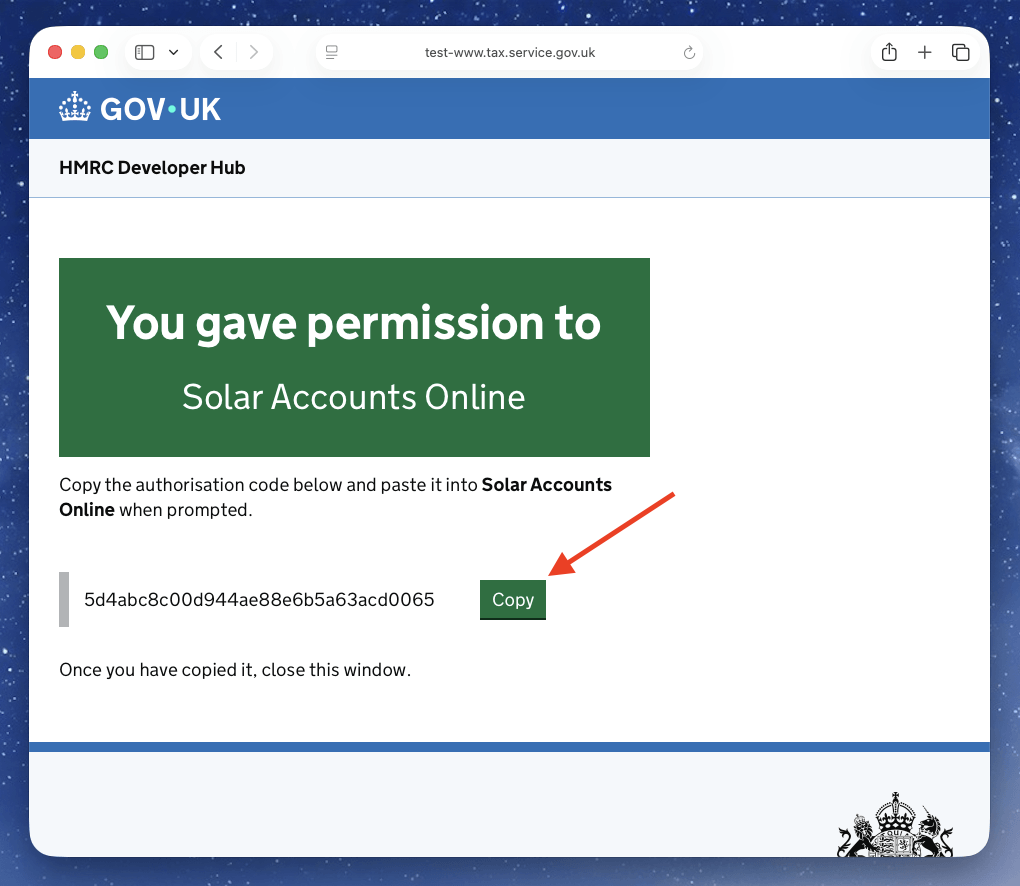
Then click the 'Copy' button to copy the authorisation code to your computer's system clipboard:
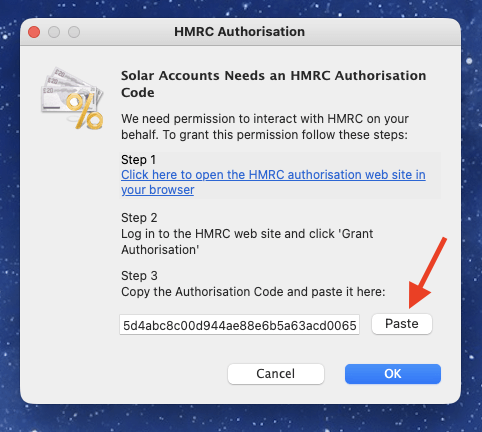
Close your browser and return to Solar Accounts, then click the 'Paste' button in the Solar Accounts window, then click OK:
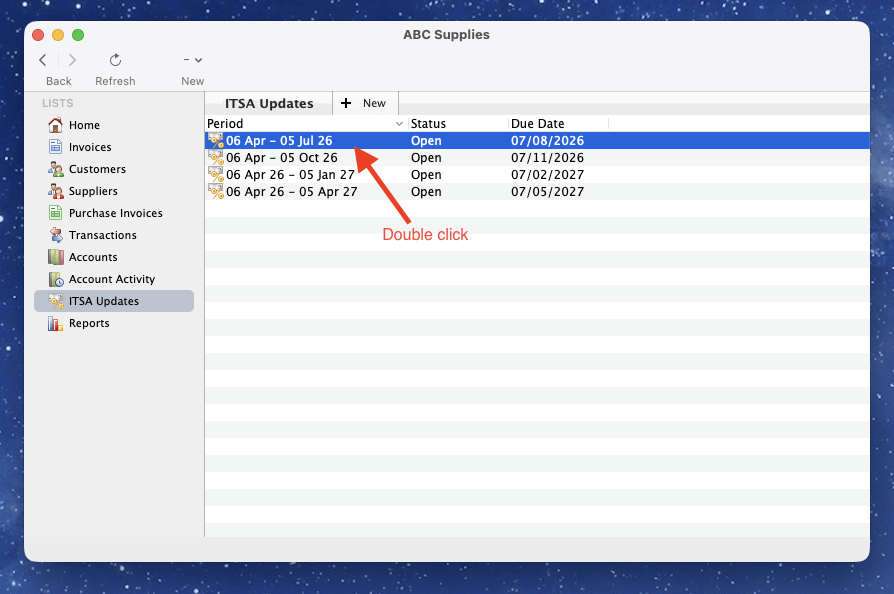
Solar Accounts will show details of your ITSA quarterly updates for the current year. To submit an ITSA quarterly update to HMRC, double-click on a row where the Status is 'Open':
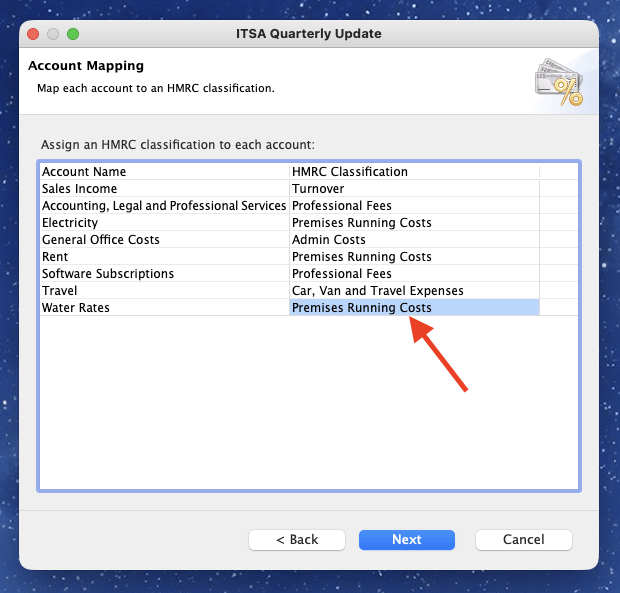
Choose whether you want to submit consolidated expense and click 'Next'. You will be shown a list of your accounts, and you must select the appropriate HMRC classification for each account. This classification is used by HMRC to determine which expenses are eligible for the simplified expenses rules, so it is important to select the correct classification for each account. Click 'Next' when you have assigned the classifications to all accounts:
Solar Accounts will calculate your ITSA quarterly update figures for that period and display them on screen. You can view the detailed breakdown of the figures by clicking the 'Detailed View' button, which will show you the breakdown of income and expenses that have been used to calculate the figures in the ITSA quarterly update:
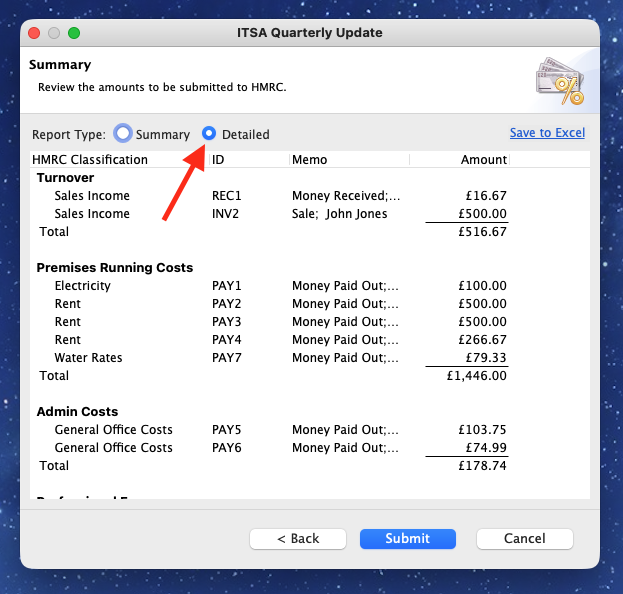
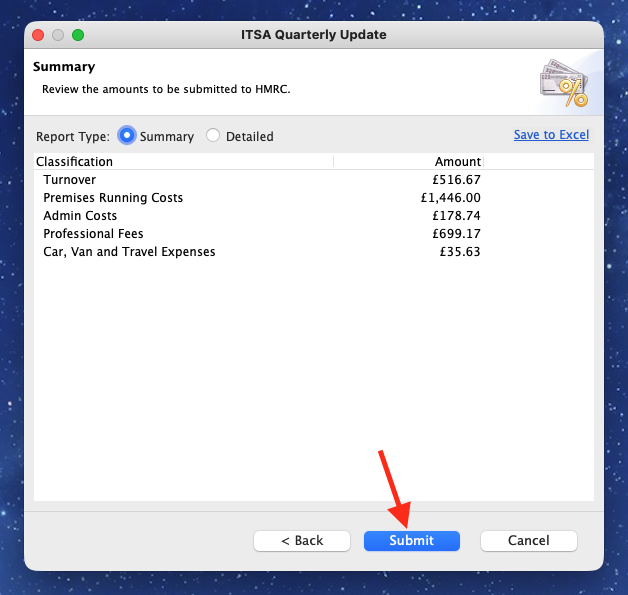
Click 'Submit' to submit the ITSA quarterly update to HMRC. You will be asked to confirm that you want to submit the update, and once you confirm, Solar Accounts will submit the update to HMRC.