If your Mac has an Apple silicon processor (M1 or later), install the latest version of Solar Accounts Online so it runs on macOS 27. It only takes a few minutes, and if you already have Solar Accounts Online installed, the new version simply replaces it.
If your Mac has an Intel processor, or you want to keep using your current version, see Upgrading to macOS 27 with Rosetta instead.
Download the latest version of Solar Accounts Online and click Download Now.
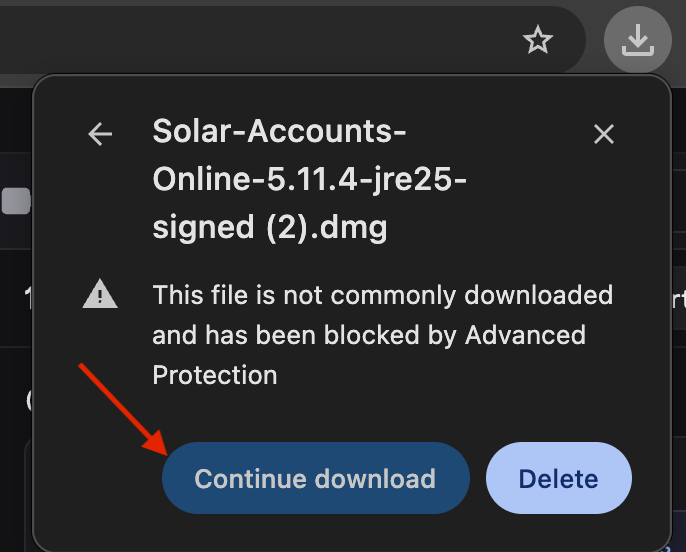
Your web browser may warn that the file is not commonly downloaded. The Solar Accounts installer is safe and digitally signed, so click Continue download to keep the file:
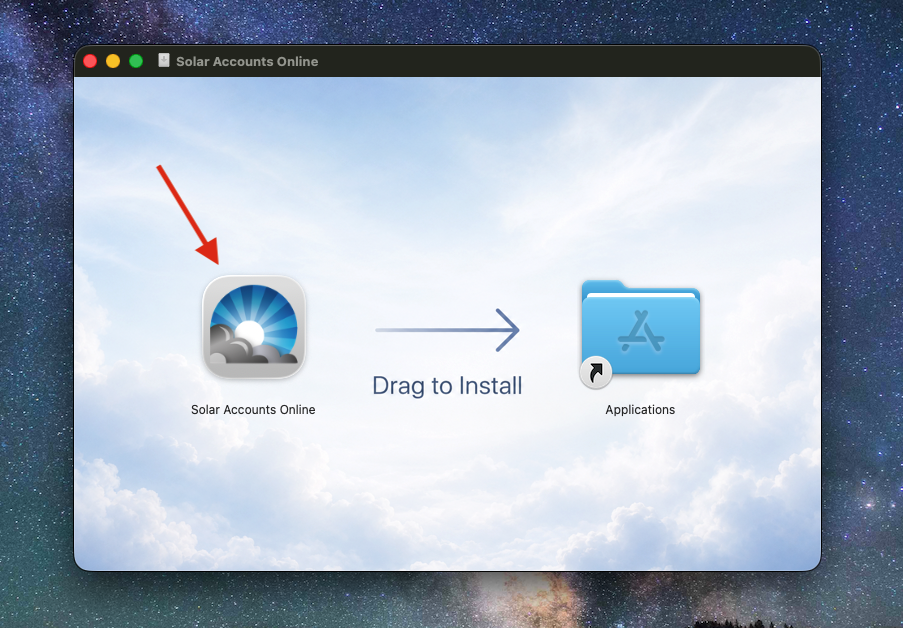
Open the downloaded file (you'll usually find it in your Downloads folder). A window opens - drag the Solar Accounts Online icon onto the Applications folder to install it:
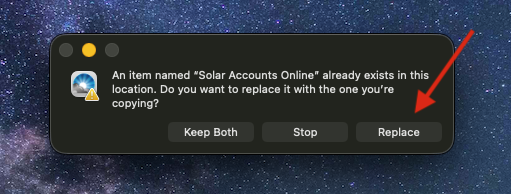
If you already have an earlier version installed, macOS asks what to do. Click Replace to update to the latest version:
Open Solar Accounts Online from your Applications folder and log in as usual. The first time you open it, macOS may ask whether you're sure you want to open an app downloaded from the Internet. Click Open.
